Transfer by Binance ID (Free of Charge)
Benefits of Transferring by ID
When transferring funds between different users on the Binance platform, using ID transfer is the fastest method. Additionally, ID transfers are completely free of charge.
Prerequisites
If your spot account doesn't have USDT, you'll need to transfer some from your U-margined contract account to your spot account first. If you already have USDT in your spot account, skip to step 3.
Operation Steps
1. Open Internal Transfer
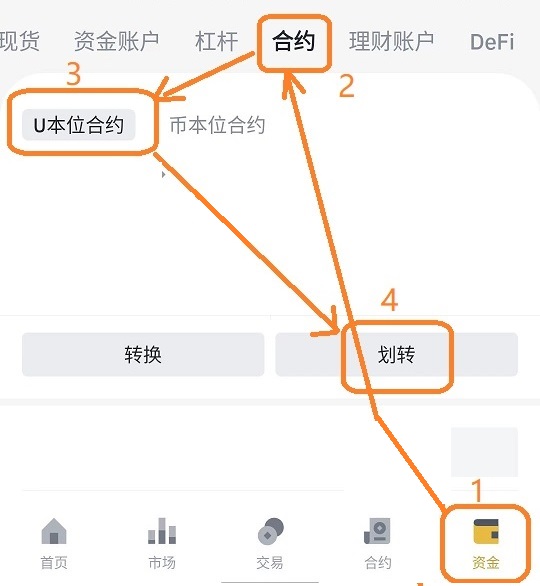
Open the Binance app, then navigate to Funds → Contract → U-margined Contract → Transfer:
2. Execute Transfer Operation
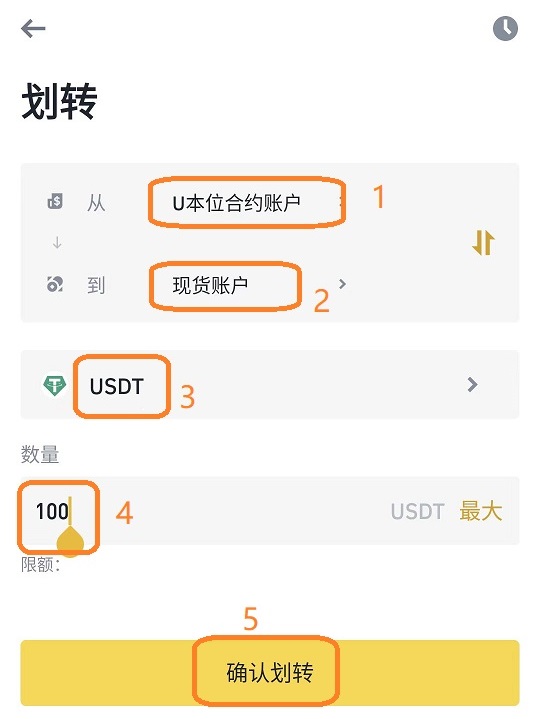
Select U-margined Contract Account to transfer to Spot Account, choose USDT, enter the transfer amount, and click Confirm Transfer:
3. Enter Withdrawal Function
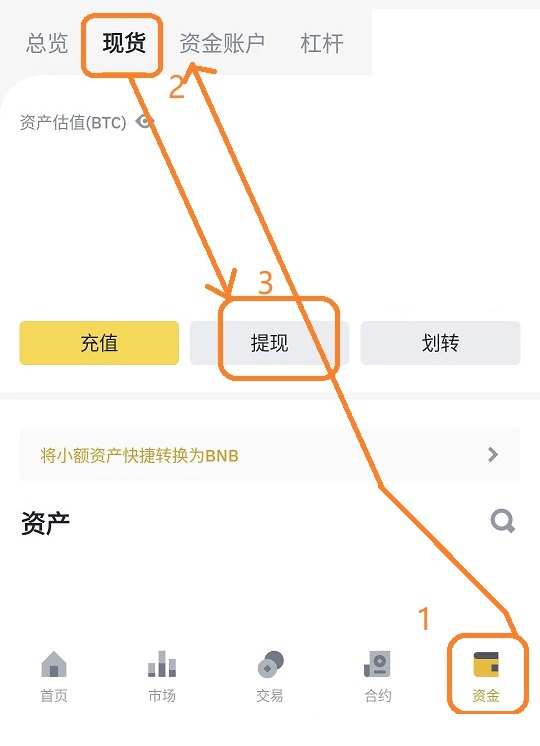
After the transfer completes successfully, navigate to Funds → Spot → Withdrawal:
4. Select Withdrawal Currency
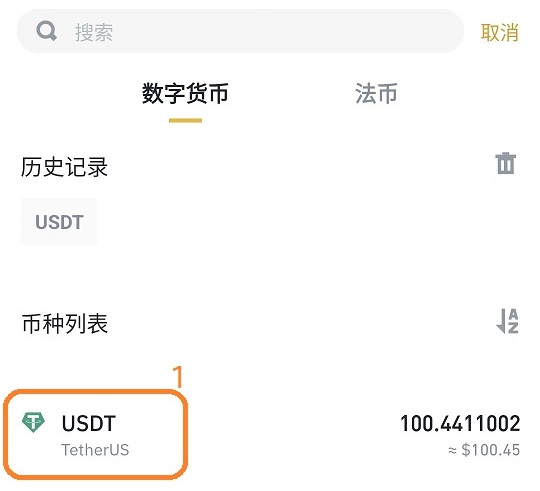
Select USDT as the withdrawal currency:
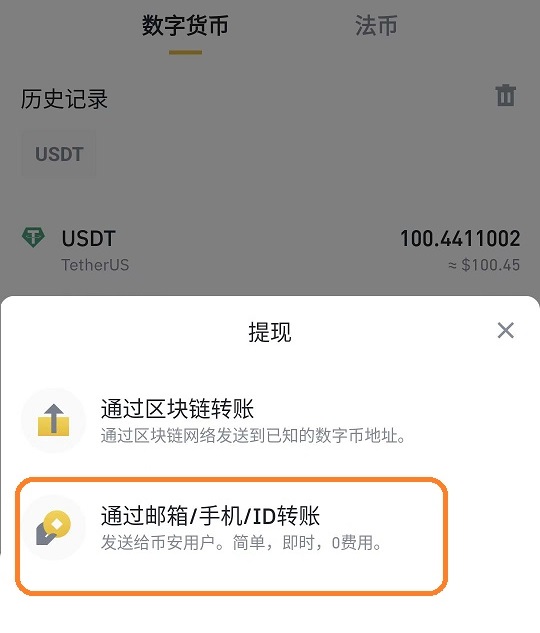
5. Select Transfer Method
Select Transfer by Email/Phone/ID:
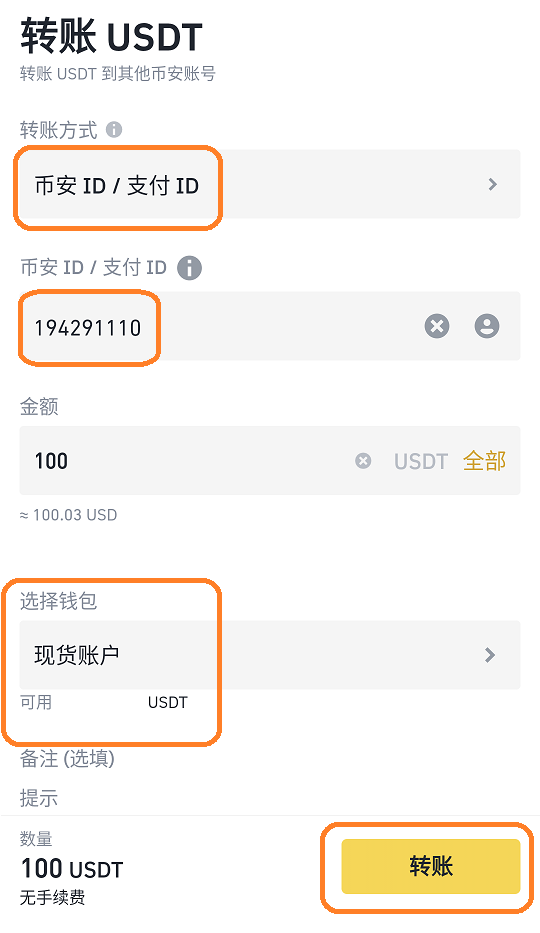
6. Complete Transfer
Select Binance ID, enter the recipient's ID (for example, 194291110), enter the amount, and click Transfer:
Service Fee Information
Payment Information
The software service fee collection ID is: 194291110. Please include your name in the payment note.
::: Disclaimer This document is a guide for software usage and does not constitute investment advice. All registration, account opening, and trading decisions are made at the user's own discretion and risk. :::