Sell USDT
Selling USDT involves two steps:
- Determine whether to close part or all of your positions based on the withdrawal amount
- Sell USDT and get fiat currency
Close Position
1. Open Quant Trading Strategy
Open the quant trading app and click the "Strategy" menu at the bottom:
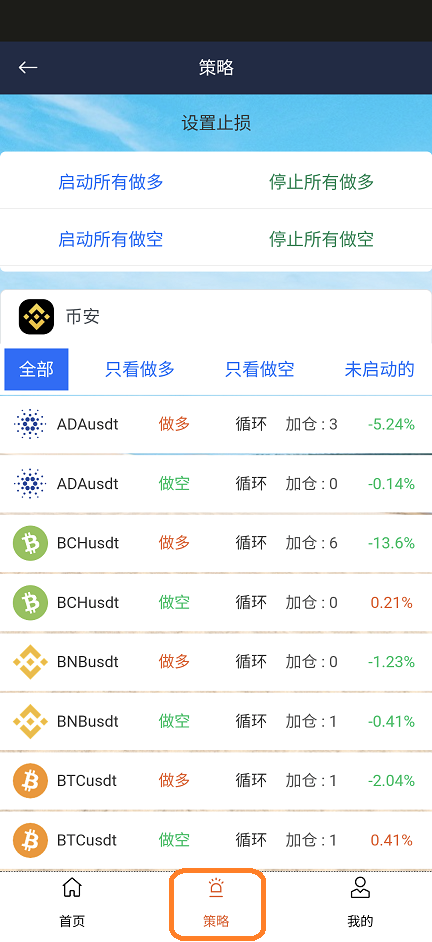
2. Select Pair to Close
Select the trading pair you want to close and click "Clear and Sell":
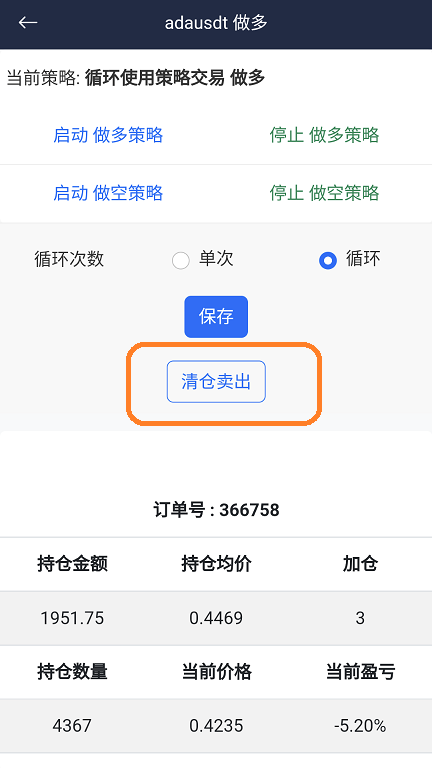
Note
Please close both long and short positions for the trading pair
3. Check Binance APP Position
Open the Binance app, navigate to Funds → Contract, and view your current positions. If there are positions that need to be closed, click on the corresponding position:
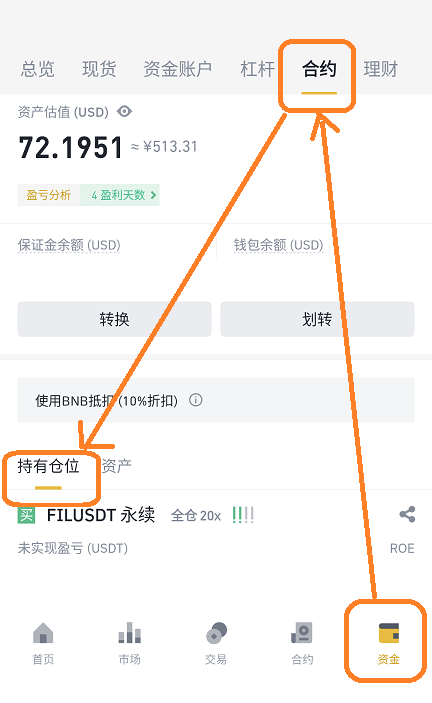
4. Execute Close Position
Once inside, select Close, enter the amount (you can also drag the slider below the amount field to select 100%), then depending on whether it's a long or short position, select Close Long or Close Short:
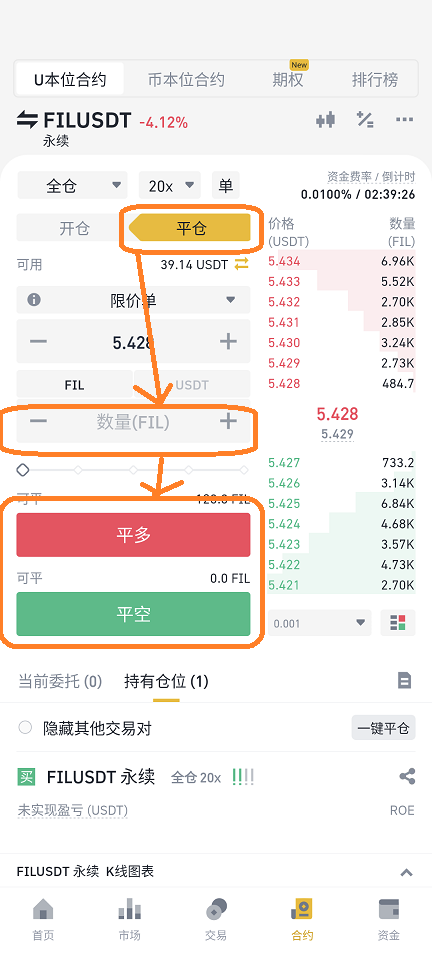
Sell USDT
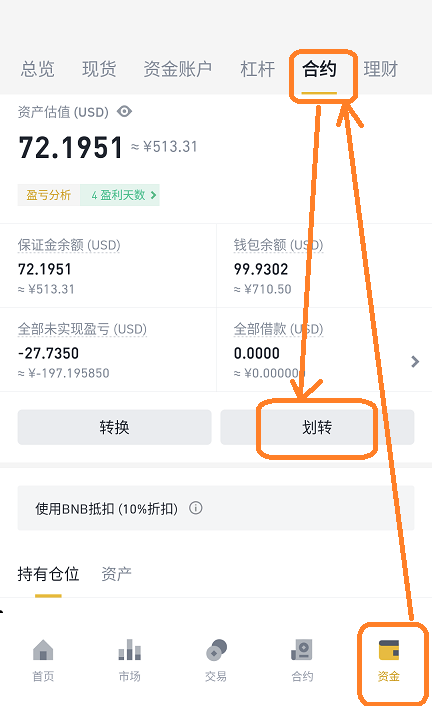
1. Transfer Funds
In the Binance app, navigate to Funds → Contract at the bottom, then select Transfer:
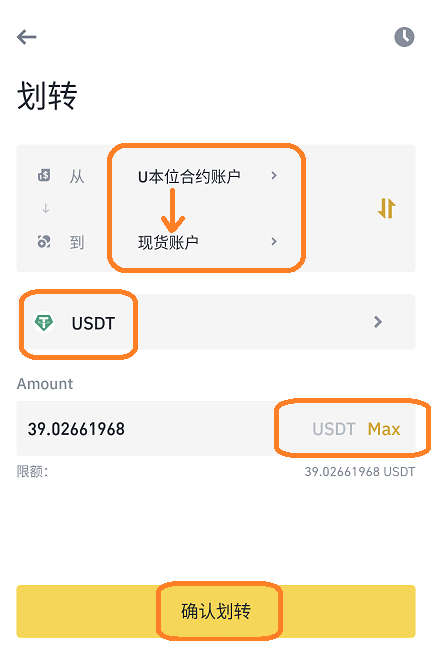
2. Select Transfer Direction
Select USD-Margin to transfer to Spot, choose USDT, enter the amount, and confirm the transfer:
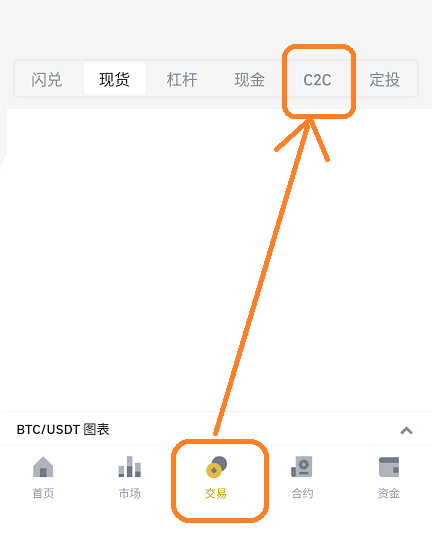
3. Enter C2C Trading
In the Binance app, navigate to Trade → C2C at the bottom:
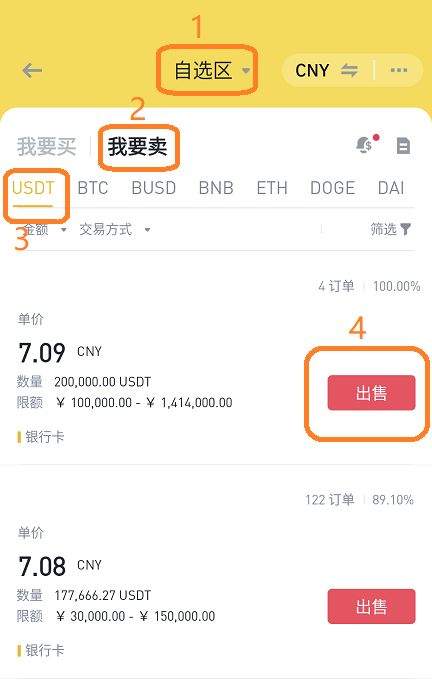
4. Select Trading Settings
At the top, select Self-selected area, I want to sell, and USDT:
5. Select Buyer and Sell
Select the buyer you want to sell to and click Sell. Pay attention to the buyer's Limit:
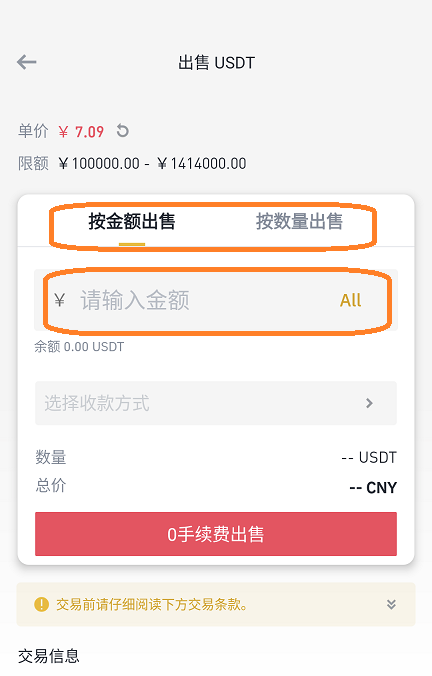
6. Input Sell Information
Enter the amount you want to sell and select your payment method, then click Sell:
7. Confirm Receipt
Important Reminder
After receiving payment from the buyer, click Confirm Receipt to ensure that the USDT you sold will be transferred to the buyer's account. If you have not received the payment, do not click this button.
::: Disclaimer This document is a guide for software usage and does not constitute investment advice. All registration, account opening, and trading decisions are made at the user's own discretion and risk. :::